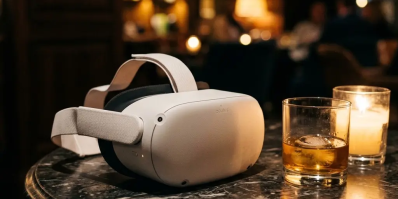

So you just got a VR headset and you're ready to experience the future of adult entertainment? Welcome to the club. VR porn is not just "watching" — it's being there. But there's a right way and a wrong way to set things up. This guide will take you from unboxing to your first mind-blowing 8K VR experience in under 30 minutes.
Whether you own a Meta Quest 3, Quest 3S, PSVR2, Apple Vision Pro, or any PCVR headset — we've got you covered.
🎯 Step 1: Choose the Right VR Headset
Not all headsets are created equal when it comes to VR porn. Here's the definitive ranking for 2026:
| Headset | Price | Best For | VR Porn Rating |
|---|---|---|---|
| Meta Quest 3 | $499 | Best overall — pancake lenses, wireless, passthrough MR | ⭐⭐⭐⭐⭐ |
| Meta Quest 3S | $299 | Best budget — same ecosystem, great value | ⭐⭐⭐⭐ |
| PSVR2 | $549 | OLED display, eye tracking, PS5 exclusive | ⭐⭐⭐⭐ |
| Pico 4 | $429 | Non-Meta alternative, great display | ⭐⭐⭐⭐ |
| Apple Vision Pro | $3,499 | Premium display, limited adult app support | ⭐⭐⭐ |
| PCVR (Valve Index, etc.) | $500+ | Maximum quality with powerful PC | ⭐⭐⭐⭐⭐ |
🏆 Our recommendation: The Meta Quest 3 is the gold standard. Standalone (no PC needed), wireless, excellent pancake lenses, and full passthrough MR support for the most immersive experiences possible. If you're on a budget, the Quest 3S gives you 90% of the experience at 60% of the price.
📦 Step 2: Initial Setup (10 Minutes)
Fresh out of the box? Follow these steps:
A. Physical Space
- Clear a space of at least 2m x 2m (6.5 x 6.5 feet). Remove breakable objects, pets, and small children from the area
- For VR porn specifically, a comfortable chair or bed is ideal — most content is designed for a seated or lying-down position
- Dim the lights — it reduces light bleed around the headset edges and improves immersion
B. Headset Fitting (Critical!)
- Adjust the head strap until the headset sits comfortably without pressing too hard on your face
- IPD adjustment: Move the lens spacing slider until the image looks perfectly sharp. Most headsets have 3 settings (58mm, 63mm, 68mm) — try each one and pick the sharpest
- Nose gap: If light leaks in from below, a silicone nose cover ($5-10) makes a huge difference
C. Wi-Fi Connection
- Connect to your 5GHz Wi-Fi band (not 2.4GHz) for streaming
- Ideally use a Wi-Fi 6 or 6E router for buffer-free 8K streaming
- If possible, keep your router in the same room as your VR play area
D. Guardian Boundary
- Draw your play boundary when prompted. For seated VR porn, you can use "stationary boundary" mode instead of full room-scale
🎬 Step 3: Install a VR Media Player
This is the most important step. You need a dedicated VR video player that handles 180°/360° stereoscopic content. Here are the top 3:
1. DeoVR (Free) — 🏆 Most Popular
- Where: Meta Quest Store (free download)
- Why: Built-in browser for direct streaming, supports all VR formats, has an integrated content discovery system
- Best for: Streaming content directly from websites
- Pro tip: In settings, enable "HEVC decoding" for better 8K playback performance
2. SKYBOX VR Player (Free/Premium)
- Where: Meta Quest Store
- Why: Best for local file playback. Supports SMB/NAS network shares, so you can stream from your PC over your home network
- Best for: Downloaded 8K files on your PC — stream wirelessly to your headset with zero compression
- Pro tip: Name your files with
_180_LRor_360tags so SKYBOX auto-detects the correct format
3. PLAY'A VR (Free)
- Where: Meta Quest Store
- Why: Clean, simple interface. Great for beginners who want minimal setup
- Best for: Quick-start viewing without complex settings
📱 Step 4: Setup by Headset Type
Meta Quest 3 / 3S (Easiest)
- Open DeoVR from your app library
- Use the built-in browser to navigate to your preferred VR content site
- Tap the VR/goggles icon on the video player to enter immersive mode
- Adjust the video settings: select "180° SBS (Side by Side)" for most VR porn
- Enjoy in full immersion!
🔒 Privacy tip: Enable "Private Browsing" mode in DeoVR, and turn off "App sharing" in Quest settings if others use your headset.
Apple Vision Pro (Requires Extra Steps)
- Open Settings → Apps → Safari → Advanced → Feature Flags
- Enable: WebXR Device API, WebXR Hand Input Module, WebXR Augmented Reality Module
- Restart Safari
- Install Moon VR Player from the App Store (handles 180°/360° formats)
- Use Safari Private Browsing to navigate to content sites
⚠️ Note: Apple doesn't allow adult apps in the App Store, so you'll rely on web-based players and sideloaded apps.
PSVR2
- Connect the USB-C cable to the front port of your PS5
- Calibrate eye tracking and set your play area via the setup wizard
- Open the PS5 web browser (Media Gallery → Internet Browser)
- Navigate to your preferred VR content site and use the built-in player
PCVR (Valve Index, HP Reverb G2, etc.)
- Install DeoVR or SKYBOX via Steam
- For maximum quality: download 8K files to your PC, then play locally through SKYBOX
- Virtual Desktop can also wirelessly stream your PC desktop to a Quest headset for PCVR-quality playback
⚙️ Step 5: Optimize for Maximum Quality
The difference between a "meh" and a "holy shit" VR experience often comes down to video quality settings:
Resolution Guide
| Quality | Resolution | File Size (1hr) | Experience |
|---|---|---|---|
| Standard | 4K (3840×2160) | ~3-5 GB | Good, slight softness |
| High | 5K (5120×2880) | ~5-8 GB | Very good, mostly sharp |
| Ultra | 6K (6144×3456) | ~8-12 GB | Excellent, near-perfect |
| Maximum | 8K (8192×4096) | ~12-20 GB | Photorealistic. Mind-blowing. |
Optimal Video Settings
- Codec: H.265 (HEVC) — much better than H.264 at high resolutions
- Bitrate: 50-100 Mbps for best quality
- Frame rate: 60 FPS is the sweet spot
- Format: 180° SBS (Side by Side) — this is the standard for VR porn
- Audio: Binaural/spatial audio makes a HUGE difference in immersion
Streaming vs. Download
| Method | Pros | Cons |
|---|---|---|
| Streaming | Instant access, no storage needed | Quality depends on internet speed, may buffer |
| Download + Local Play | Maximum quality, zero buffering, best experience | Large file sizes, requires storage |
💡 Pro tip: For 8K content, downloading files and streaming them via SKYBOX over your home network gives the absolute best quality. You need at least 50 Mbps sustained Wi-Fi bandwidth for smooth 8K streaming.
🙌 Step 6: Comfort & Hygiene
Comfort Tips
- Upgrade the head strap: The stock Quest strap is mediocre. A third-party elite strap ($20-40) dramatically improves comfort for longer sessions
- Silicone face cover: Replaces the foam interface. Non-porous, sweat-resistant, easy to wipe clean. Essential purchase ($10-15)
- Counter-weight: Adding a small battery pack to the back of the headstrap balances the weight and reduces face pressure
- Take breaks: The 20-20-20 rule — every 20 minutes, look at something 20 feet away for 20 seconds to rest your eyes
Avoid Motion Sickness
- Start with stationary content — VR porn is ideal because you're typically sitting/lying down
- Keep sessions under 30 minutes initially and build up tolerance gradually
- If you feel dizzy, stop immediately and focus on a fixed point in the real world
- A small fan blowing on your face can help reduce nausea
Hygiene
- Lenses: Clean ONLY with a dry microfiber cloth. NEVER use alcohol, wet wipes, or spray cleaners — they permanently damage the lens coating
- Face interface: Wipe down with antibacterial wipes after each session (silicone covers only)
- Controllers: Clean with alcohol-free wipes
- Storage: Keep your headset in a cool, dry place away from direct sunlight — sunlight can burn through the lenses and damage the display
🔒 Step 7: Privacy & Security
Let's be real — privacy matters. Here's how to keep your VR activities private:
- Private browsing: Always use Private/Incognito mode in DeoVR or the Quest Browser
- App lock: Set a PIN on your headset so others can't access it
- Cast control: Make sure "casting" to your TV is turned off before starting a session
- VPN: Use a reputable VPN for additional privacy and to bypass regional restrictions
- Download management: Delete downloaded files from the headset after viewing, or use encrypted folders on your PC
- App sharing: Disable app sharing in Quest settings if you share your headset with family members
🌟 Step 8: Where to Find the Best VR Content
Now that you're all set up, you need content worthy of your headset. Here's where to start:
- xNight — Over 48,000+ VR videos from 380+ studios, updated daily. The largest curated VR library on the web
- Browse by 8K resolution for the sharpest experience
- Discover top VR performers and find your favorites
- Explore premium studios like VirtualRealPorn, VR Bangers, and VRConk
- Check what's trending to discover the most popular scenes
❓ FAQ — Common Questions
"Do I need a powerful PC for VR porn?"
No. Standalone headsets like the Quest 3 work completely independently. A PC only helps if you want PCVR-level quality or want to store/stream large 8K files locally.
"Is VR porn safe for my eyes?"
Yes, it's no more harmful than using a regular screen. Take regular breaks and adjust your IPD correctly. If you experience persistent discomfort, consult an eye doctor.
"What's the difference between 180° and 360°?"
180° covers the front half of your vision (like being face-to-face with someone). This is the standard for VR porn and provides higher quality per degree. 360° covers all around you but at lower quality per degree.
"Why does my video look blurry?"
Three common causes: (1) IPD not set correctly, (2) video resolution too low (try 8K content), (3) headset not positioned correctly on your face. Adjust until the sweet spot is perfectly centered.
"Can someone walk in and see what I'm watching?"
Only if casting is enabled. Turn off casting, lock your door, and use headphones for complete privacy. Some headsets also offer a "guardian alert" that warns you when someone enters your room.
🚀 Ready to Dive In?
You now have everything you need to get the most out of VR adult content. Remember: the difference between an okay experience and an incredible one comes down to three things: a good headset, the right player settings, and high-quality 8K content.
Start exploring at xNight.net — with 48,000+ premium VR videos, you'll never run out of amazing content to experience. Welcome to the future of entertainment. 🌟